Five Questions to Ask Any Software Company Before You Sign Up
Three years on one platform taught me what to ask the next one. These five questions would have saved me most of it.
Three years on one platform taught me what to ask the next one. These five questions would have saved me most of it.
A contractor signs up for software on a Tuesday. It has a slick demo video. The onboarding looks professional. The monthly price fits the budget. He runs his first estimate through it, sends his first invoice, syncs his first payment. Feels good.
Three months in, he starts noticing the gap. Features he was promised are behind a paywall he didn't see. The one report he actually needs doesn't exist. When he calls support, it takes four days to get an answer. When he goes to cancel, the subscription is tied to a contract he skimmed during onboarding.
Now he's stuck. Not because the software is terrible — most of it works — but because it was never built for what he actually does.
That contractor didn't pick the wrong software. He asked the wrong questions.
Picking a software tool for a service business is a marriage. You're going to build your quoting habits, your invoicing habits, your customer records, your payment flow, and eventually your crew workflow around whatever you choose. Breaking up takes six to twelve months and costs thousands of hours of re-entered data.
These five questions are what I'd ask any software company — including mine — before I signed a credit card to a subscription.
This is the first question and it's the most important. Most field service platforms are built around lead flow — get the lead, push it through an estimate, send an invoice, collect a payment. That's the whole arc. Profitability is an afterthought, if it's there at all.
The contractor signs up, enters his first job, and gets told what his revenue is. He already knew his revenue. He knew it before he opened the app.
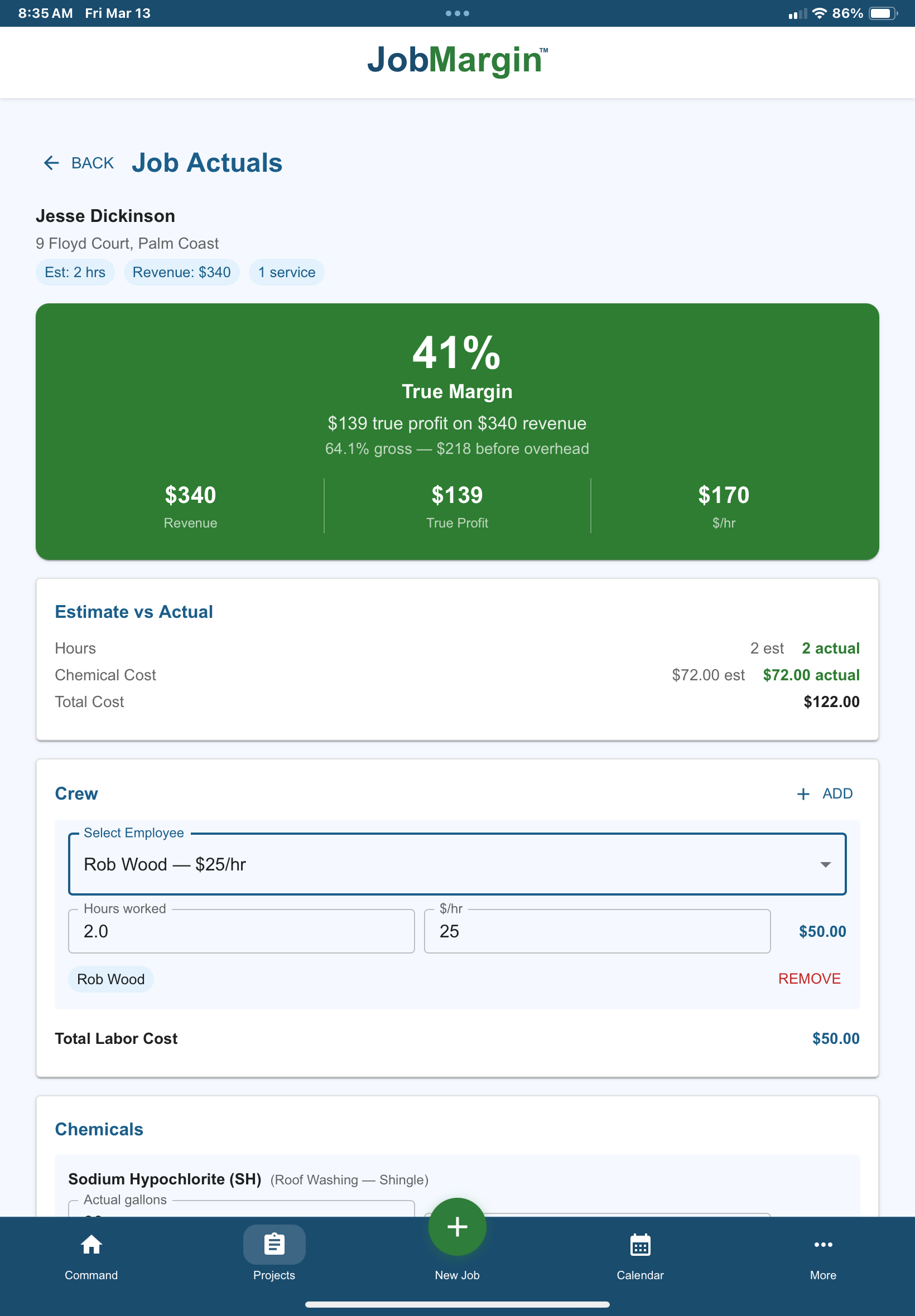
What he doesn't know, and what the software could tell him if it was designed to, is what that job keeps after direct cost and indirect cost come out. The real number. The margin.
Ask the demo rep to show you where the true profit margin shows up. Not revenue. Not gross margin. Not "you made $600 on this job" when that $600 is still carrying an unallocated share of insurance, fuel, truck, licensing, and a dozen other fixed expenses.
If the rep pivots to "our reporting is robust" or "you can pull margin in our analytics dashboard after the job closes," the answer is no. The software doesn't show real profit. It shows revenue with a margin label on it.
Profitability has to be built into the system from the ground up. It can't be retrofitted into a platform that was designed around invoicing. Which is why most of them don't have it.
This is a tell. Not about the feature itself — about the pricing philosophy of the company you're about to hand your money to.
QuickBooks sync shouldn't be a premium feature. Every contractor, from day one, needs clean books. The IRS doesn't care if a contractor is on the starter plan. The accountant doesn't care. Tax season doesn't care. A contractor running without sync is manually re-entering every invoice twice — once in the field service software, once in QuickBooks — and bleeding hours to keep them aligned.
Most platforms gate QB sync to a higher tier. Jobber puts it on the Connect plan at around $169 a month. Housecall Pro puts it on the MAX plan at $149 a month. The message is clear: if you want your financials to line up, pay more.
That's not a product decision. That's a pricing decision. The company looked at QB sync, saw that contractors need it, and put it behind the paywall because they could.
A software company that gates infrastructure is telling you something about how they'll treat every future decision. When a new feature comes out that you actually need, what tier will it land on?
The question isn't whether QB sync is included. The question is whether the company's pricing philosophy is aligned with running your business well, or aligned with extracting more revenue from you at each decision point.
Every software platform has tiers. What matters is what happens at the seam between them.
Two things to test for: additive vs rebuild, and step size.
Additive vs rebuild means what happens to your existing data, workflows, and configurations when you upgrade. If the upgrade is additive, everything you've built stays. You just get more features layered on top. If it's a rebuild, you're moving your customer records into a new module, reconfiguring your estimate templates, re-onboarding your crew, and potentially losing historical data in the migration.
Step size means how far apart the tiers are priced. A platform that goes from $49 starter to $169 pro to $349 enterprise is forcing a decision at every tier. Contractors who need one feature from pro tier end up paying the full pro price, usually for features they don't use, because the step up is too big to skip. A platform with $59 / $129 / $199 pricing has room to grow into — the step from one tier to the next is survivable.
Ask the rep to walk you through what upgrading from their starter tier actually looks like. If the answer involves re-migrating data, re-setting up workflows, or losing any customization you've built, the platform doesn't scale cleanly. You're buying a ceiling, not a floor.
Every field service platform claims to serve every trade. Most of them don't.
A platform built for HVAC and plumbing — with dispatching, parts inventory, and technician certifications at the center — is going to feel wrong to a lawn care contractor. A platform built for residential house cleaning is going to feel wrong to a commercial painter. The features might all work. The flow won't.
The tell is in the setup. When you sign up, does the platform know what trade you're in? Do your services come pre-loaded with the language of your trade — "house wash," "driveway clean," "paver seal" — or do you start from a blank list and build it yourself from scratch?
Does the platform know what materials and consumables your trade uses? Does it know what your typical terms and conditions look like? Does it know whether your work is instance-driven (one job, one customer, hope they come back in a year) or recurring (weekly, biweekly, monthly routes)?
If the answer is "you can configure all of that yourself," the software was built for no one in particular. You're doing the trade-specific configuration work the platform should have done. That configuration takes weeks, and most contractors never finish it — they adapt their business to the platform's defaults instead of the other way around.
There's a second layer underneath this one, and it's the real test: is the software intuitive for your workflow, or is the workflow built for your business?
Those are two different products. A platform can be intuitive — the buttons are where you expect them, the flow feels smooth — and still push you through a sequence of steps that a contractor who runs your trade would never actually do. Intuitive UX on a generic workflow is polish on the wrong shape. What you want is a platform where the workflow itself matches how a contractor in your trade actually operates: how you estimate, how you schedule, how you invoice, how you follow up.
The right question isn't "can this handle my trade?" Every platform can, technically. The right question is: does this feel like it was built for my trade and the way I work, or does it feel like a generic tool that I'll have to bend my business around?
Software breaks. Features have edge cases. Integrations drop connections. The question isn't whether things will go wrong — they will. The question is what happens when they do.
Ask how support works at the company you're evaluating. Is there a phone number? Is it a ticketing system? Is it a chatbot that loops you through three layers of "have you tried clearing your cache" before it escalates to a human?
Ask the response time. Not the "we respond within 24 hours" marketing claim. The real number. If your credit card stops syncing with Stripe at 8am on a Saturday, who picks up, and when?
At enterprise platforms with thousands of customers, you're a ticket number. The support team is doing triage. Your problem has to queue behind everyone else's problem.
At smaller platforms, especially founder-led ones, you sometimes have a direct line to the person who built the product. Same-day response on hot fixes isn't a marketing promise — it's how the company operates because it has to. When that line is there, it's one of the biggest differences between platforms, and it's rarely the thing the demo rep talks about.
Ask specifically: "If I email you right now with a bug report, who gets it and when?" A strong answer is a name and a timeline. A weak answer is "you'd submit a ticket to our support team."
The contractors I know who've been through two or three software platforms will tell you: the platform you pick is less important than the relationship you have with the people behind it. When the software works, they all work. When something breaks, the ones with real support win.
These five questions take less than thirty minutes to work through with any software company. They're cheap to ask up front.
They're expensive to find out about six months in.
A contractor evaluating software should run these five past whatever platform he's considering — including this one. If the answers line up with how he actually wants to run his business, he's got a good fit. If they don't, he's about to sign up for a marriage he'll spend the next year trying to leave.
Most contractors don't ask these questions because they don't know they should. They sign up for the platform their friend uses, or the one with the best demo, or the one with the cheapest starter plan. Then they find out what the software is actually like after they've already built their business on top of it.
Ask the questions first.
Start a free trial. No credit card. Cancel anytime.